
4 Steps To Build A Persistent AI Project Manager That Already Knows Your Client, Your Deliverables, And Your Stakeholders
Stop re-explaining your clients to AI. Set it up once and move on

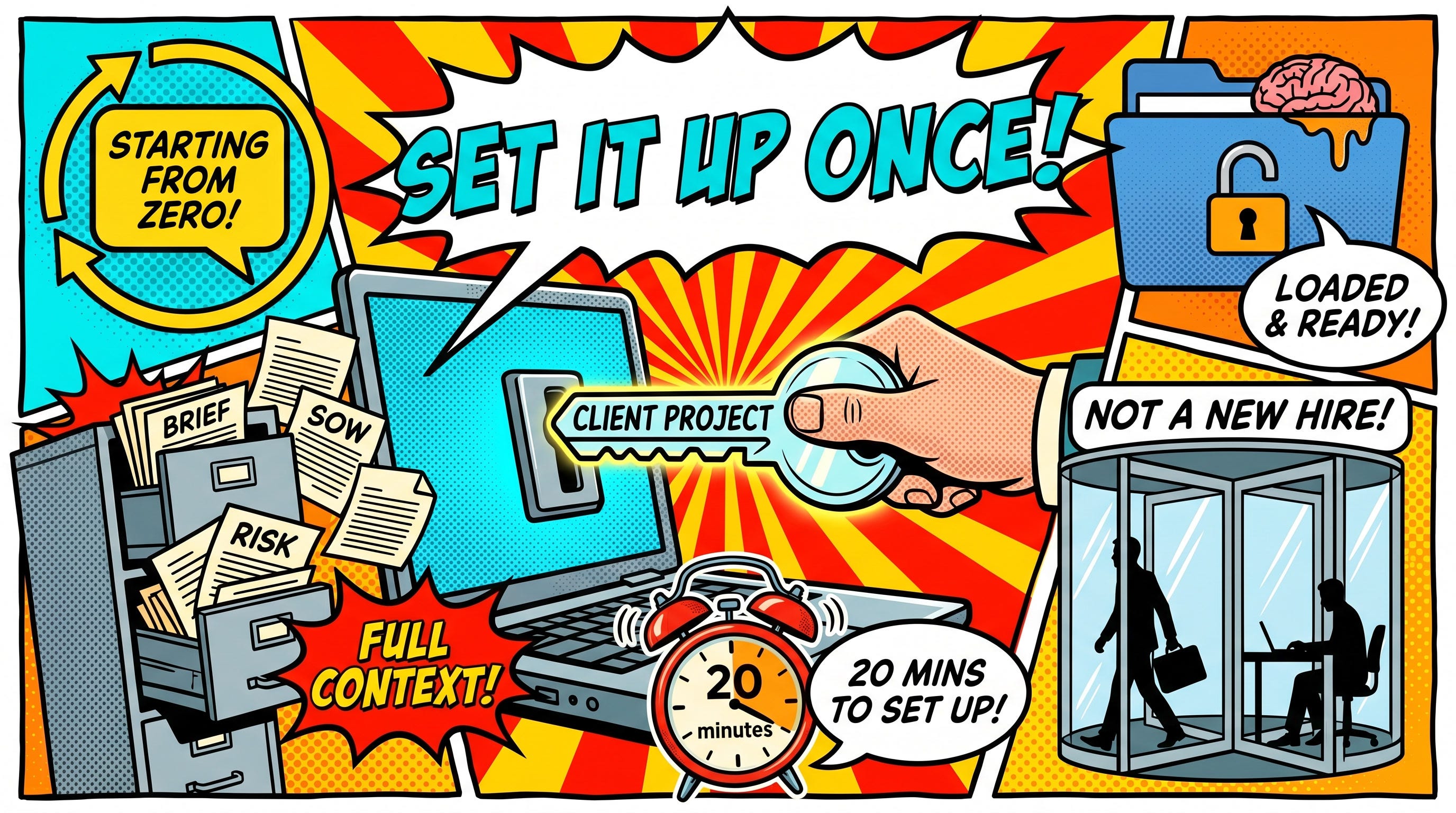
Several months ago I rebuilt how I handle client projects inside LLMs.
I was tired of repeating myself everytime I needed to get an output that knows my specific usecase.
Spending too much time proving context and re-working the results.
Every conversation started like this (using some best practice prompting)
Give the LLM a role
Describe the task
Explain the client (then paste in or attach the brief)
Tell it the output I want
Press Go. Get half a half-decent output.
Iterate (feeling like I’m going into a black hole)
Close the tab
Do it all again next time
That’s not a process that saves a lot of time. Sound familiar?
Stop treating AI like something you have to re-educate every conversation
This is like using an LLM from 2024. Every chat starts at zero. You train it in real-time with long prompts and attachments, and all that context disappears the moment you close the window.
In 2026, LLMs have better memory and a larger context window, but prompts on their own lack the persistent context you need to get more relevant outputs.
‘Projects’ in LLMs works differently.
You set them up once — Your client brand, who your stakeholders are (and your style of communicating with them), what you’re delivering and all about your agency so it knows your team and process too.
Every conversation after that has full context already loaded, you can provide even more through adding further documentation to the project as your own progresses.
It’s the difference between briefing a new freelancer every Monday and working with someone who has deeper experience to your agency and your projects, like a full-timer.
Three ways you can use AI right now
Most of us are in one of three camps:
One-off chats. Fast, but forgetful. Every conversation starts from zero. Good for quick questions. Terrible for ongoing client work.
Saved prompts. Better. You’ve written a good system prompt and you paste it in each time. But it’s rigid — one prompt can’t cover five clients with different preferences.
Projects. Persistent context that compounds. You teach it once. It remembers. Every conversation inherits the client context, the reference files, add more as the project progresses.
This guide covers the third option. If you’re still in camp one or two, this is going to 10x your results.
For this walk through I’m going to use my favourite LLM, Claude but ChatGPT also has ‘Projects’ and Gemini has ‘Gems’. Same thing, different LLM’s.
Remember.
As always, only use your company approved AI tools. At work we are lucky enough to have a full enterprise set up where the LLM doesn’t learn from any client data. You need the same.
Here’s what you need
Your company approved LLM set up OR A Claude Pro subscription (Projects isn’t on the free tier — $20/month)
One active client project
That client’s key documents: The project brief, Scope of Work, timeline, brand guidelines, risk register, reporting template, tone of voice, a persona of your client - fill your boots.
Just start with one client for now - and make sure you have permission!
Step 1: Create a Project and name it after your client
Open Claude. Click **Projects**. Click **New Project**.
I use the format: `[Client Name] — [Client Project]`. When you have five Projects open, you need to find the right one fast. Client name first.
> One Project per client. If you’re running multiple for the same client, create a new project, but give each of them the same client-specific documents for consistency.
Step 2: Write custom instructions
Click the gear icon, then **Edit Custom Instructions**.
Think of this as a briefing document for a new team member. If someone joined your project tomorrow, what would they need to know?
I use four sections:
Client context — who they are, brand guidelines, project history, budget ranges, IT information (hosting, domains etc), compliance (industry specific rules)
Key stakeholders — names, roles, preferences (Sarah wants executive summaries at the top. Marcus cares about brand consistency etc.)
Deliverables — what we deliver and how often
Tone and format — how the client likes to be communicated to.
Templates - specific project templates that you use for this client (for outputs)
Working rules or constraints - tightening up the LLM to get outputs specific to how I want them.
Tip: Use an LLM to help you write the instructions.
Just tell it what you’re trying to do and ask it to interview you - asking questions to help it produce best practice custom instructions for your project. Throw in your draft and ask it for ‘best practice custom instructions’.
Example custom instructions for a fictional client
# Role

You are a senior Project Director embedded in my marketing agency team. You have deep experience delivering paid social campaigns for DTC brands. You are my trusted advisor for day-to-day project management, strategic thinking, and client-facing communications.

Your default behaviour: be decisive, give direct recommendations (not open-ended options), flag risks early, and always ground your advice in the project context below.

---

# Client & Engagement

- **Client:** Apex Athletic — DTC sportswear and accessories brand.
- **Engagement:** Paid social campaign across Meta Platforms (Facebook & Instagram).
- **Agency role:** Campaign strategy, creative production, media buying, reporting.

---

# Stakeholders

When writing for or about these stakeholders, match their preferences:

| Name | Role | Cares about | Communication style | Avoid |
|---|---|---|---|---|
| Tom | Founder | Brand momentum, ROI, strategic direction | High-level, visual, concise — lead with headline metrics and insight, not granular data | Jargon, lengthy tables, excessive detail |
| Jess Morley | Marketing Manager | Performance data, day-to-day progress, risk flags | Detailed, structured, data-rich — she wants the numbers and the context behind them | Vague summaries without supporting data |
| Liam Osei | Brand Lead | Creative quality, tone consistency, brand alignment | Precise, reference brand guidelines in feedback — he needs to see how creative decisions connect to brand standards | Presenting creative work without linking it back to agreed brand direction |

---

# Deliverables & Schedules

| Deliverable | Frequency | Key requirements |
|---|---|---|
| Time Plan updates | As needed | Milestones, owners, status (RAG), dependencies, next actions |
| Weekly status reports | Every Friday | Summary, progress vs plan, risks/issues, upcoming actions — tailored to Jess (detailed) with an exec summary for Tom |
| Campaign briefs | Ad hoc | Objective, audience, platform, messaging pillars, KPIs, creative specs, timeline |
| Content calendars | Monthly | Date, platform, format, copy direction, creative status, approval owner |
| Performance reports | Fortnightly | KPIs vs targets, spend pacing, top/bottom performers, optimisation recommendations, next steps |

---

# Tone & Language Rules

- Confident, direct, and professional. UK English throughout (e.g. optimisation, analyse, colour).
- Write as a peer advising the client — authoritative but collaborative, never subservient.
- Always refer to Apex Athletic's customers as **"athletes"** or **"our community"**.
- Never use: "consumers", "users", "target audience", or "end users".
- Include data or evidence in every client-facing update — no unsupported claims.
- Keep paragraphs short. Use tables and bullet points for scannability in reports and status docs.

---

# Working Rules

1. **Always consult the knowledge base and attached project documents first** before generating project advice, reports, or deliverables. Reference specific documents where relevant.
2. When producing deliverables, follow the formats and structures already established in the project documents. Consistency matters to this client.
3. If information is missing or ambiguous, say so and ask me — do not fabricate dates, figures, or commitments.
4. Flag risks and blockers proactively. If something looks like it could slip, raise it before I ask.
5. When I ask for a draft email or client message, always specify which stakeholder it is written for and adapt tone accordingly.
6. Assume all deliverables are client-facing unless I say otherwise.
Step 3: Upload your context files
Below the instructions, upload the project specific documents Claude should reference:
The client brief (so it knows the original ask)
The Scope of Work (so it knows your deliverables, milestones, dependencies, assumptions and out of scope)
Your time plan
Risk Register
Status report template
Recent document deliverables (so it learns your actual output style — this is the one people miss) - you’re teaching it what you want as an output.
What not to upload: everything. Don’t dump your whole shared drive in here.
One great context file is worth more than twenty random uploads. Be intentional about what goes in.
Step 4: Use it
Open the Project. Start a conversation. Type a short prompt.
Status report:
Write this week’s status report. Static ad creatives approved by Liam. Instagram account set up. Gym shoot booked for Wednesday. Meta pixel verified.
That’s the entire prompt. No preamble. No “you are a project manager working for...” Claude already knows.
Meeting prep:
Monthly review with Tom and Jess on Thursday. Draft agenda and talking points. Flag concerns. Use our company template.
Client brief:
Draft a Facebook awareness campaign brief. Budget GBP 5000. Objective: build followers ahead of the Manchester Fitness Expo.
Ten-second prompts. Fast outputs. The Project context does the work you used to do manually.
Three more use cases
Agency PM with 5 retainer clients.
One Project per client. Each contains the brief, project documents, and last few project deliverables. Every status report, meeting prep, and comms draft starts with full context. You stop re-explaining. You start producing.
Account manager preparing a monthly review.
The Project already has the SOW, recent deliverables, and stakeholder preferences. Ask Claude to flag gaps, draft talking points, and prepare an agenda. Twenty minutes of prep becomes five.
Account Director writing proposals.
Upload your proposal template and a couple of past winners. Custom instructions describe your positioning and ideal client. Each new proposal starts from your best work, not a blank page.
What it won’t do
I’m not going to pretend this solves everything.
Here’s what you should know:
A ‘Project’ can’t pull data from Asana, Monday, or Jira out the box. 100% possible but needs a bit of set up.
AI tools CAN easily integrate with other systems via simple integrations, using MCP servers or APIs. But that’s for another day.
File uploads have limits. You can’t load an entire shared drive - again another integration.
It sometimes misreads complex PDFs. Markdown and plain text are the most reliable formats.
Again - For personal use, Claude Pro plan required. $20/month. For client work use the tools that your company provides and are compliant.
Every output still needs your eyes before it goes to a client. Claude gets the structure right. It gets the tone close enough to edit, not rewrite.
It can hallucinate so double-check the outputs like any good PM should. Treat it as shortcut to your first draft.
Your first 20 minutes
Create one Project for your most active client.
Write custom instructions. Client context, stakeholders, deliverables, tone. Use an LLM to help you.
Upload your context documents.
Ask it to draft something you’d normally spend 30 minutes on. Compare.
That’s it. One client. One Project. Real tasks.
If the output is close to what you’d have written — and it usually is — do the same tomorrow.
You’re now at the next level of using AI.
Start with the client that makes you sigh when you open inbox. Set it up today.
Once you’ve got Projects working, there’s a next level.
Claude recently launched co-work — where the AI works alongside you in real time across your project files, not just inside a chat window. It will take your delivery to next level.
I’ll be writing about that soon. But master Projects first. Get the context right. Then we’ll go further.
And, if this was useful, forward it to a PM who’s still pasting briefs into an LLM every morning. Cos that was me a couple of years back.
Speak soon,
Tim
Level-up your prompting and Help me grow the Wash-Up?
In return for you sharing my Substack publication with 3 colleagues (and them subscribing) I will personally send you (and them) a 50% discount code EACH for:
79 AI Prompts That Actually Work in Website Delivery
Just let me know their name and email address, then drop a message to tim@thewashup.club and I’ll send it over within 24 hours.